Playtest closed, new playtest coming soon

Hi everyone!

The first playtest is now closed, thank you for your feedback!

Quick overview of the latest features that have been added to the playtest:

  • Height, width, energy, condition and precision of computer tennis robots now depend on their initial (random) match score: The higher their initial match score, the higher their attributes
  • GodotSteam integration
  • Removed unnecessary files from export build
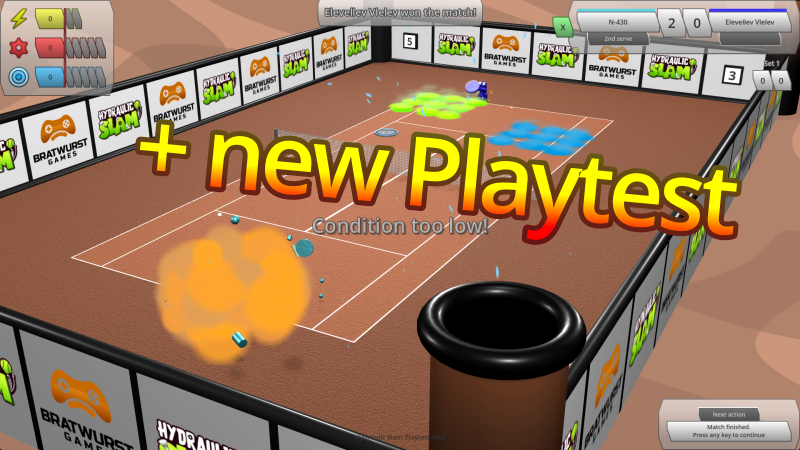
  • If the ball hits fire, it explodes and the receiving robot scores
  • If the ball hits slime, it bounces much lower and slower
  • If the ball hits water, it bounces a bit lower and slower
  • Improved match score changes and robot point rewards at the end of a match
  • Ranking list now shows the updated match scores for both robots after a match finished
  • When a button is unhovered, it zooms back to its original size in a short animation, instead of snapping back instantaneously

Stay tuned for more improvements and another playtest coming soon!

Lots of improvements and upcoming playtest

Hi everyone!

I made some good progress in the last few weeks.

[TL:DR Everything is nicer, smoother, more juicy now. The game has some new features too. And you can sign up for a playtest!]
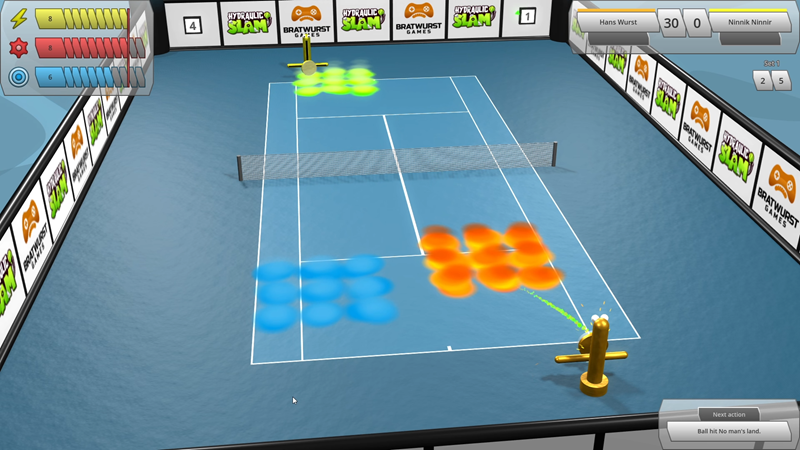
  • Court effects: Every couple of hits, each corner pillar erupts either fire, water or slime, which then falls onto a random area of the court (the quarter of the court closest to that pillar) and affects energy consumption and required precision when the robot or ball interacts with the affected target fields on the court.
  • They will disappear after a few hits, resetting energy consumption and required precision for the affected target fields back to default.
  • Next to each corner pillar, there is a box with a number counting down the hits until the next eruption of that corner pillar (actually it’s two labels per pillar, one on the inside and one on the outside of the wall, so you don’t need to constantly rotate the camera to see the exact numbers on opposite court sides).
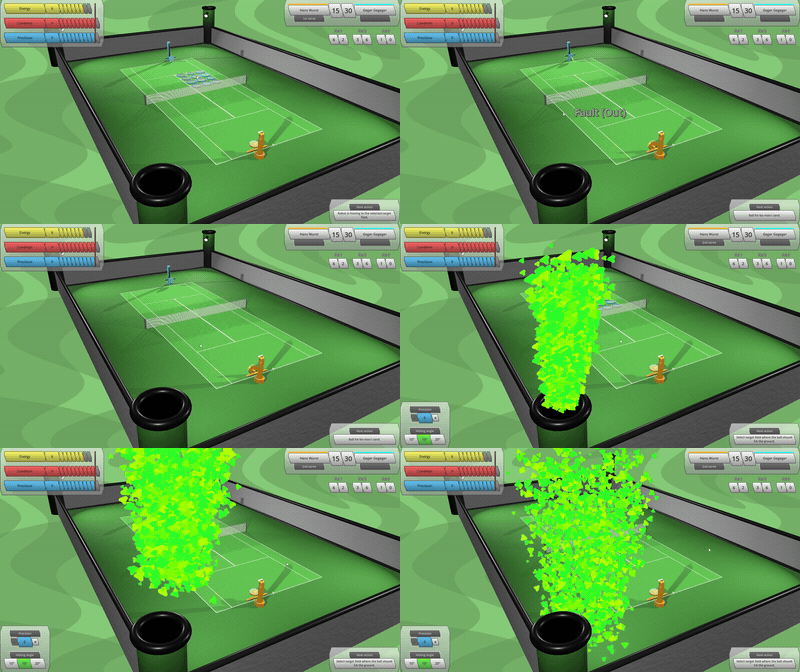
  • 2 hits before an eruption, a pillar starts spitting out a little bit of fire, water or slime particles straight upwards. These effects become stronger 1 hit before the eruption.
  • The walls around the court are now made of smaller, square-shaped segments instead of single elements going across the whole length. Each segment can display an image on the inside and another one on the outside.
  • When a robot moves over the court, instead of going from 0 speed to 100% and then back to 0 instantly, it gradually accelerates and brakes in a smooth motion.
  • You can now estimate to a certain extent how strong a robot is just by looking at it! The bigger its eyes, the higher its maximum precision, and the bigger its battery (located at the very bottom), the higher its maximum energy. This is visible during a match for both robots on the court as well as in the robot setup menu for your own robot.
  • Changing attributes in the robot setup menu now feels much more juicy as your robot quickly bounces to the new height, width etc. when an attribute is decreased or increased. Also, when opening robot setup menu, your robot model in the preview window bounces from 0 to its current maximum values.
  • A little robot is now flying through the backgrounds of game menus, which blinks its eyes every now and then and extremely discreetly follows your mouse movements. Same for your robot model in the robot setup menu. Don’t get distracted by their movements, its all part of their plan…
  • Robot classes! At the beginning of a game, you can now choose from 5 different classes for your robot, each one permanently boosting your robot in a certain way, e.g. the “Battery Beast” shortens your energy recovery time and speeds up increasing your maximum energy between matches. Similar to the difficulty level or the length of machtes, the robot class cannot be changed anymore once the initial robot setup is finished, so choose wisely!
  • When you choose to randomize your robot during initial setup, a random robot class is applied as well.
  • Initial loading screen: When the game is started, a loading screen is now shown, featuring a black and white logo, a progress bar and information about which part of the game is currently loading. Once loading is complete, the loading screen fades away to show the main menu with the colored logo right underneath the previously black and white one.
  • When navigating between menus in the game, a quick transition now occurs, where the previous screen is sliding out towards one side and the new screen is sliding in from the other side. When entering or leaving a match, the screen transitions to black before entering/leaving the match. In the settings menu, when switching settings tabs, the content is quickly fading between previous and new tab as well.
  • New settings for UI scale and resolution. In case the resolution you want the game to run in is not in the resolution drop-down menu, you can even set your own, custom resolution manually in the game settings file, which will be applied automatically when the game is started the next time.
  • New glow post-processing effect: Very bright objects are now causing neighboring areas to become a bit brighter as well, which produces a slight “glow” effect. This can be turned off in the graphics settings if not wanted.
  • The main menu now features a few buttons on the right side, which will open your web browser with a feedback form on bratwurst.games website, the Hydraulic Slam Steam store page so you can easily wishlist the game if not done yet, or an invite to the Bratwurst Games Discord server where you will be able to discuss everything about Haydraulic Slam and future games with me and other players.
  • Energy, Condition and Precision now have little icons shown in the top left corner of tennis court UI.
  • New trailer and screenshots.

Apart from that, you now have the possibility to sign up for the first Hydraulic Slam Playtest, just in time for Steam Sports Fest!

[Note to self: Next time, maybe post smaller updates more frequently instead of a huge one like this after a whole 2 months…]

Robot Tennis is now Hydraulic Slam!

Hi everyone!

As the game takes shape more and more, I liked its name less and less, so I decided to change it from something that just describes the base setting of the game without provoking much fantasy or excitement, to something that indicates that this game might actually be fun.
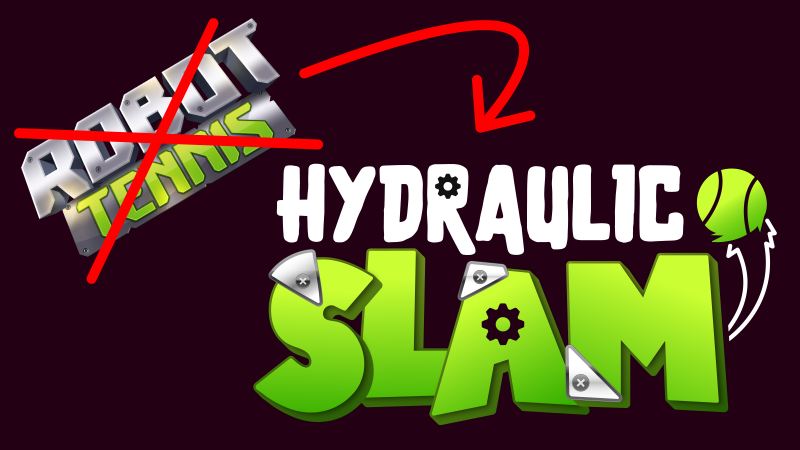
Also, this was a good opportunity to get a new, more professional logo and capsule artwork.

With this in mind, let the Hydraulic Slam begin (soon)!

Sparks, dust trails, ball trails, smoke, fire, water, slime

Hi everyone!

I have added some particle effects to make the game look more exciting:
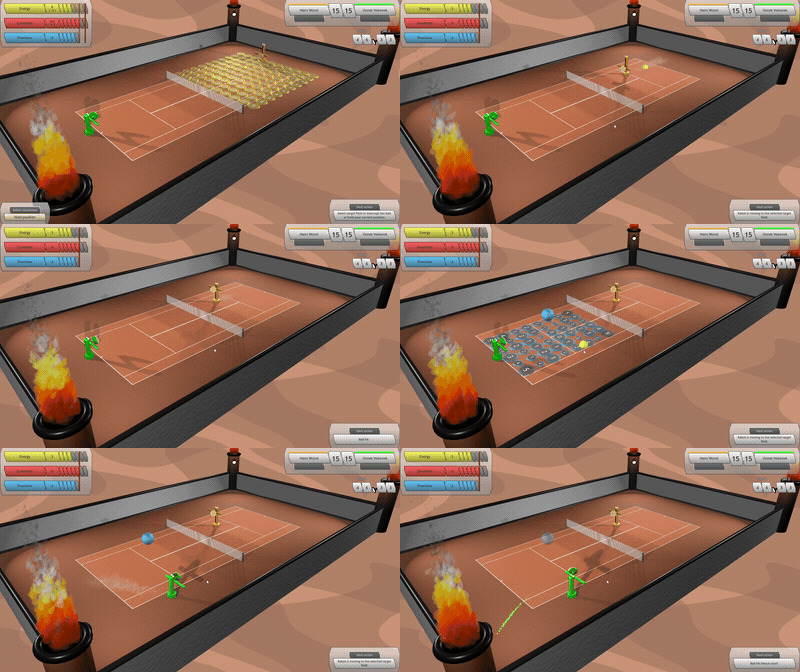
  • When robot arms move up/down and rackets move left/right, a few sparks spread out in all directions.
  • When robots move around the court, they leave a trail of dust behind them, slowly rising and disappearing shortly after.
  • The simple trail behind the flying tennis ball is now replaced by bright, moving particles.
  • When the ball is hit by a robot racket, there is a little explosion effect emitting some smoke out of the moving racket.
  • The corners of the court are now featuring thick pillars, which are spitting either fire, water or slime, depending on the type of the court.

(Bonus feature: The pillars also contain spot lights which create more realistic shadows on the net and robots.)

Settings menu and demonstration scene

Hi everyone!

Exciting news: Robot Tennis finally has a proper Settings menu!

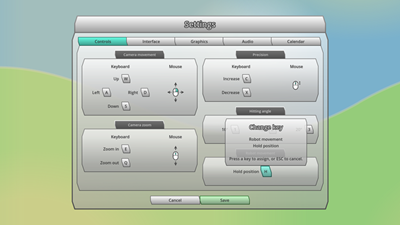
Initially, it was just a very simple kind of dummy screen with a couple of options to choose from. Now it is composed of 5 separate tabs for Controls, Interface, Graphics, Audio and Calendar settings.

The most development effort has been put in the Controls tab, where the player can now individually adjust all relevant in-game keyboard controls.

When clicking the “Save” button, any changes of settings are applied and saved to the local user config file. Once the game is started the next time, individual settings are loaded from the local user config file and applied automatically.
Apart from that, I updated and extended the “demonstration scene”. This is a separate, static scene in the game which is by default invisible but can be activated manually via code when debugging and is supposed to be used for demonstration purposes only (as the name suggests).

It shows a tennis court from a certain camera angle and with a certain composition of tennis robots, target fields and/or bonus bubbles. The demonstration scene has been part of the game for quite a while but it was poorly maintained and not easily configurable so far.

I made a few improvements to that scene, so that it can be used much easier and in a more flexible way to create assets like background images for the Steam Page or character art for the Press Kit etc.

Improved court graphics and button animations

Hi everyone!

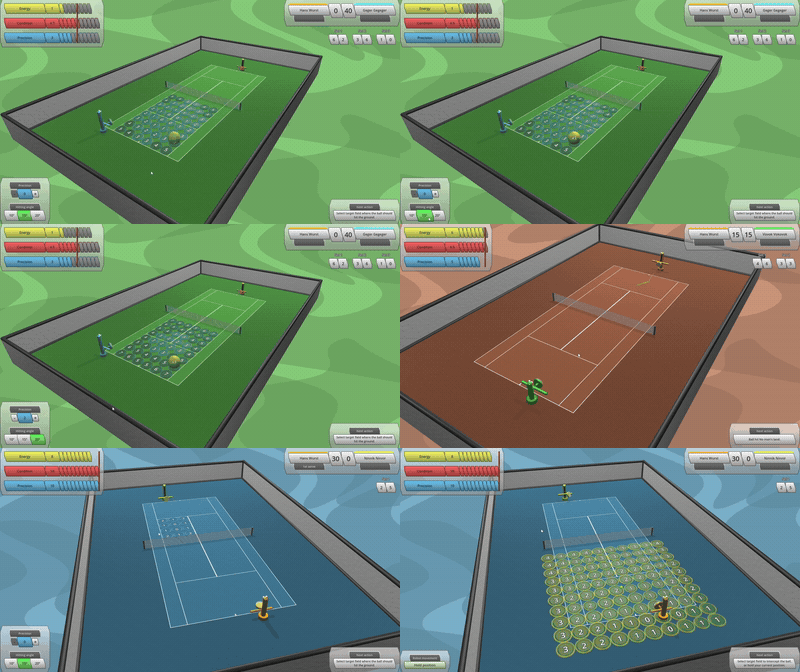
Over the last couple of weeks I experimented a bit with shaders, and ended up with some nice, gently moving and not too distracting backgrounds that float behind the tennis courts. Each court type (clay, grass and hard court) now has its own floating background, matching the colour of that court surface.

In addition to that, I implemented mouse-over animations for all buttons in the game (except for input fields and buttons that open drop-down menus). Hovering over a button is now more enjoyable, as it not only changes colour but also increases in size once the cursor touches it.
Other improvements:

  • Replaced the net in the center of the court, which was previously just a single rectangular shape with weird looking transparent holes in between, with individual cylindric shapes. It now looks much better, especially when zooming in from an angle.
  • Replaced large court surface textures with separate, smaller and square-shaped textures. This allows for higher resolution, which again results in better looks when zooming in, and reduced texture sizes.
  • Added a slight, permanent wobble effect to target fields, to make them look less static.
  • Some minor improvements (tennis court lights and shadows, robot surface materials, camera zoom in robot setup menu).

Target field animations are there!

Hi everyone!

Quick update on the latest progress of Robot Tennis:

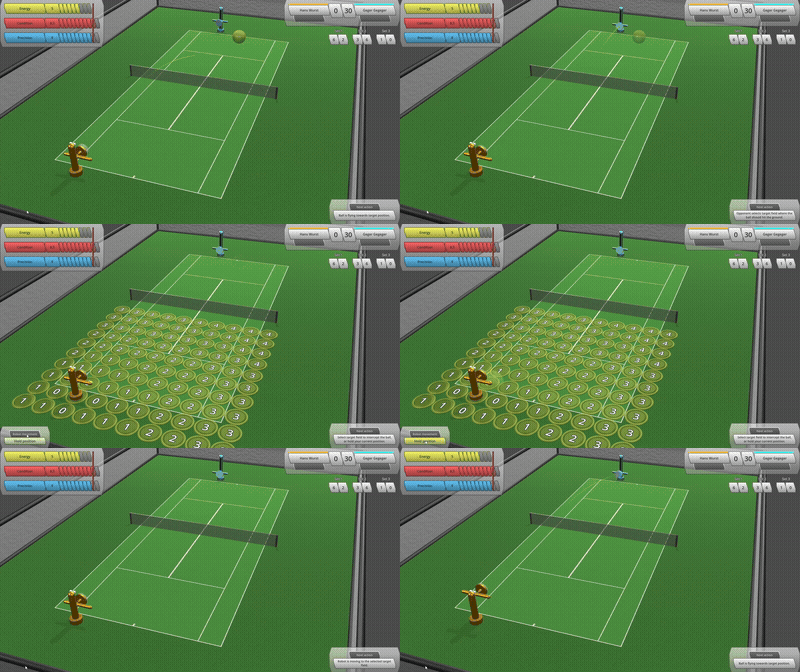
I didn’t like how the target fields just suddenly appeared on the court out of nowhere at the start of each player turn, and again suddenly disappeared at the end of the turn. It looked a bit cheap.

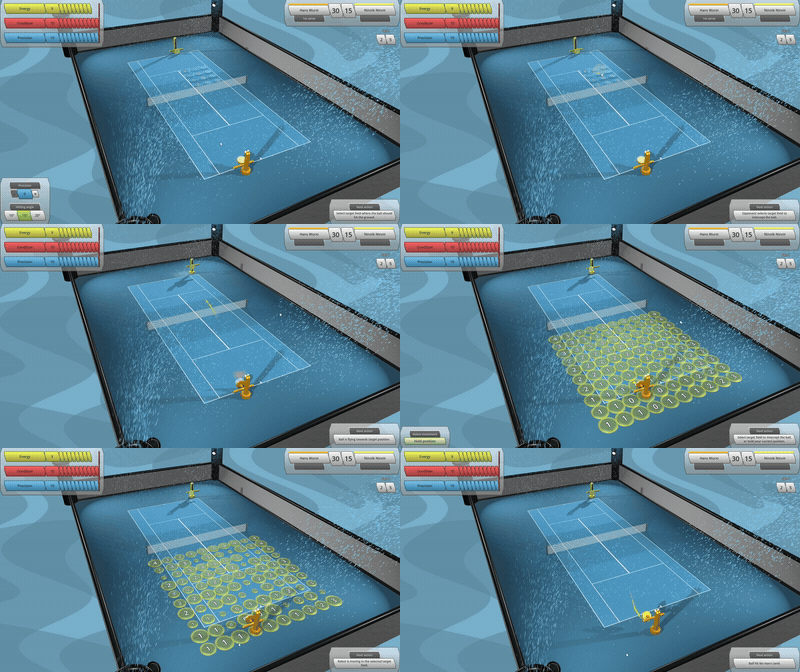
Hence I added some animation for each target field to smoothly expand onto the court when the player turn starts, and smoothly shrink back into the court once the player selected one of them (or decided to hold the robot position).

Old:
New:
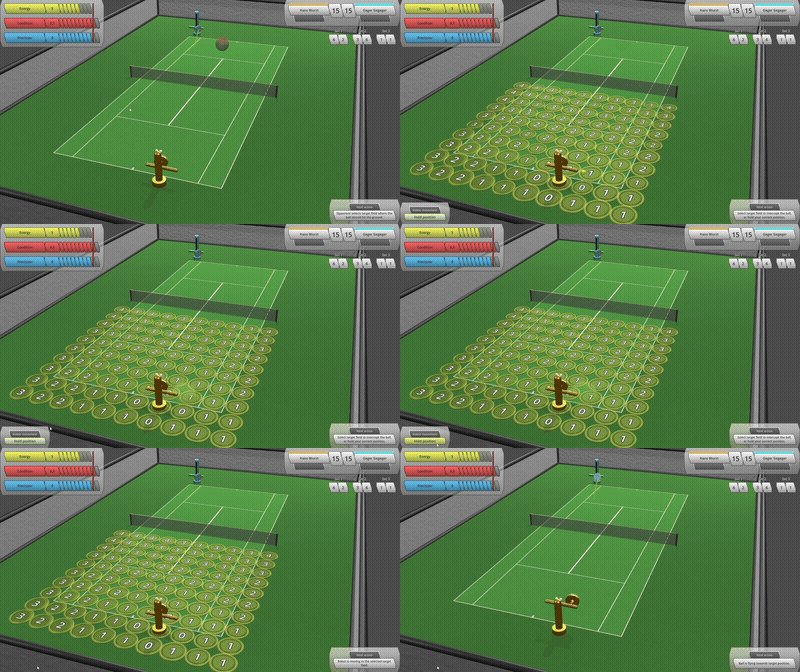
It is now much more fun to click on a target field, especially with that little random animation delay for each field and when the field size “overshoots” a bit at the end.

Robot Tennis – Steam store page online

Hurray! The Steam store page for Robot Tennis is now officially published!

Have a look at this beautiful white/grey button down here, and try it out:

Discord server online

The brand-new Bratwurst Games Discord Server is now set up.

You can discuss everything about my games, ask questions, provide feedback, report bugs etc. up there.

Join by clicking the Discord symbol at the top or bottom of the page!

Have fun!